Booking a multi-leg international journey, often culminating in a domestic flight to your final destination, offers incredible convenience. When an esteemed carrier like Qatar Airways handles your entire itinerary, including a domestic segment on a partner airline such as Alaska Airlines, you anticipate a seamless travel experience. However, a common point of confusion and frustration arises when you attempt to look up your domestic flight details on the partner airline’s website using the booking confirmation number provided by Qatar Airways, only to find no record of your flight. This scenario is surprisingly frequent, but rest assured, there’s a straightforward explanation and, more importantly, a clear path to accessing the information you need. The key lies in understanding how airline reservation systems communicate – or sometimes, don’t directly translate – booking information for segments operated by different carriers.
This comprehensive guide will walk you through why this happens, how to find your elusive domestic flight details, and proactive steps you can take to ensure all segments of your journey are visible and manageable. You’ll learn about the critical piece of information known as the partner confirmation number and how it differs from your primary Qatar Airways PNR (Passenger Name Record). With this knowledge, you can confidently navigate your bookings and prepare for a smooth, stress-free travel experience from start to finish.
The core of the issue often stems from the distinct reservation systems utilized by individual airlines. While they collaborate through partnerships and alliances to offer comprehensive itineraries, the backend systems that manage bookings, seat assignments, and operational details for each flight segment can remain separate. Your Qatar Airways booking reference is the master key for your entire journey within Qatar Airways’ system, but it doesn’t automatically unlock the doors to every partner airline’s individual booking management portal.

Understanding the PNR Puzzle: Why Your Qatar Confirmation Doesn’t Unlock Domestic Flight Details
A Passenger Name Record (PNR) is the digital fingerprint of your flight booking. It’s a unique alphanumeric code that contains all the essential details of your itinerary: passenger names, flight numbers, dates, times, ticket numbers, and contact information. When you book a journey through Qatar Airways that includes a flight operated by a partner like Alaska Airlines, Qatar Airways creates a PNR in their system. This PNR is your primary reference for the entire booking with them. However, for the Alaska Airlines segment (or any other domestic carrier segment), Alaska Airlines will have its own PNR within its own reservation system. This separate PNR is specific to the flight(s) they are operating.
Think of it like a consolidated travel package booked through a main tour operator. The tour operator gives you a master booking reference for the entire package. But if that package includes a local tour run by a different company, that local company will have its own internal reference number for your participation in their specific tour. Similarly, while Qatar Airways tickets your entire journey, the operating carrier for each leg needs its own record locator to manage its specific operational responsibilities, such as seat assignments, check-in, and gate information for that particular flight. This is why simply entering your Qatar Airways PNR into the Alaska Airlines website usually yields no results; the systems are looking for different keys. The Qatar Airways PNR tells their system about your whole trip, including the Alaska Airlines portion, but Alaska Airlines’ system needs its own specific identifier to recognize and manage your seat on their aircraft.
This separation is not a flaw but a characteristic of how inter-airline cooperation works. Global Distribution Systems (GDS) like Amadeus, Sabre, or Travelport facilitate the initial booking across multiple airlines, but once the ticket is issued, each operating carrier often relies on its internal system and its own PNR for the segments it controls. This ensures operational integrity and allows each airline to manage its resources effectively. The challenge for the passenger is bridging this informational gap by obtaining the correct PNR for each leg of the journey.
The “Partner Confirmation Number”: Your Key to Accessing Domestic Flight Information
The crucial piece of information you need is often referred to as the partner confirmation number, airline-specific record locator, or simply the domestic airline’s PNR. This is the unique code generated by the domestic airline (e.g., Alaska Airlines) for their segment of your Qatar Airways itinerary. Once you have this specific number, you can typically access and manage your domestic flight directly on the domestic carrier’s website or app.
This partner confirmation number is essential because it allows the domestic airline to identify your specific booking within their system. Without it, their system has no direct way of linking your Qatar Airways overall itinerary to a specific seat on their aircraft. Qatar Airways, as the ticketing airline, holds the master PNR which contains pointers or references to these partner PNRs. Your task is to retrieve that specific pointer. This number will unlock a range of functionalities, such as selecting your seat, checking in online, verifying flight times, managing baggage queries, or even adding your frequent flyer number directly to that segment of the journey.
Understanding its importance is the first step; the next is knowing how to acquire it. Fortunately, airlines like Qatar Airways are accustomed to this request and have procedures in place to provide this information to their passengers.
Step-by-Step Guide: How to Obtain Your Domestic Airline’s PNR from Qatar Airways
If your Qatar Airways PNR isn’t granting you access to your domestic flight details on the partner airline’s website, don’t panic. Here’s how you can usually obtain the necessary partner confirmation number:
Method 1: Meticulously Check Your Qatar Airways Booking Confirmation Documents
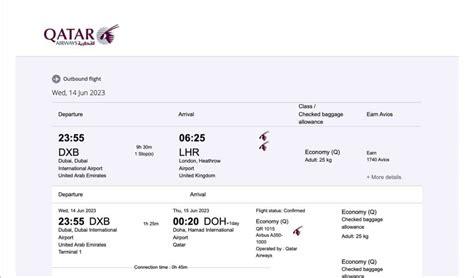
Before actively reaching out, thoroughly review all booking confirmation emails and any downloadable itinerary documents provided by Qatar Airways. Sometimes, airlines include the partner confirmation numbers within the detailed flight information. Look for sections that might be titled “Additional Airline Information,” “Partner Airline Details,” “Operating Carrier Information,” or similar. The partner PNR might be listed next to the specific domestic flight segment. It can be easy to overlook, so a careful second read is always worthwhile. Check PDF attachments, expanded views of the itinerary, and any fine print related to segments operated by other carriers.
Method 2: Contacting Qatar Airways Customer Service – The Most Reliable Route
If the partner PNR isn’t readily available in your documents, the most direct and reliable method is to contact Qatar Airways customer service. They have access to the complete booking record, including all associated partner PNRs.
-
Chat Support: As highlighted in traveler experiences, using the Qatar Airways online chat support can be a remarkably efficient way to get this information. Navigate to the Qatar Airways official website and look for the “Help” or “Contact Us” section. You should find an option for live chat with an agent. This often bypasses phone queues and allows for a written record of the information provided. Be prepared to verify your identity and provide your Qatar Airways booking reference (PNR), full name as on the passport, and the specific flight details (date and route of the domestic leg) for which you need the partner confirmation number.

- Phone Support: Calling Qatar Airways is another effective option. You can find their contact numbers on their website, often with specific lines for different regions or inquiry types. While you might encounter hold times depending on call volume, a phone agent can look up your booking and provide the partner PNR verbally. When you speak to an agent, clearly state that you have an itinerary booked through Qatar Airways which includes a domestic flight on a partner airline (e.g., Alaska Airlines), and you require the partner airline’s specific confirmation number or PNR for that domestic segment to manage your booking on their website. Having your Qatar Airways PNR, flight dates, and passenger names ready will expedite the process.
- Email Support: While generally an option for less urgent inquiries, you could also try emailing Qatar Airways customer support. However, response times can be longer compared to chat or phone, so this might not be ideal if your travel date is approaching soon. If you choose this route, be very clear and detailed in your email, providing all necessary booking information upfront.
When contacting them, regardless of the method, explicitly ask for the “Alaska Airlines confirmation number” (or whichever domestic airline applies). Using precise language helps the agent understand exactly what you need. Once they provide it, make sure to note it down accurately.
Once You Have the Domestic PNR: Accessing Your Flight on the Partner Airline’s Website (e.g., Alaska Airlines)
Armed with the correct partner confirmation number for your domestic flight, you can now head to the domestic airline’s website, such as alaskaair.com if your flight is with Alaska Airlines. Look for a section typically labeled “Manage My Booking,” “My Trips,” or “Check-In.” You’ll be prompted to enter a confirmation number (or record locator) and your last name. This is where you’ll use the newly acquired PNR specific to that airline.
Upon successful entry, you should gain access to your specific domestic flight booking. This typically allows you to perform several important actions:
- View and Confirm Flight Details: Double-check flight times, dates, and airport terminals.
- Seat Selection: Choose or change your seat assignment, often subject to availability and airline policy. This is particularly important for ensuring comfort or sitting with travel companions.
- Online Check-In: When the check-in window opens (usually 24 hours before departure for domestic flights), you can check in online and obtain your boarding pass.
- Add Special Services: Request special meals (if applicable), wheelchair assistance, or other necessary services.
- Enter/Verify Frequent Flyer Number: Ensure your frequent flyer number for the domestic airline is correctly associated with the booking to earn miles and any applicable status benefits for that segment.
- Purchase Ancillaries: Add checked baggage if not included, or pay for other optional services.
Having this direct access provides peace of mind and allows you to manage your domestic travel leg effectively, just as you would for a flight booked directly with that airline.
Proactive Strategy: Linking Frequent Flyer Accounts for Smoother Integration
A highly recommended proactive measure, especially for frequent travelers or those residing in the region served by the domestic partner, is to leverage frequent flyer programs. If you are a US resident, for instance, and your domestic leg is with Alaska Airlines, consider signing up for an Alaska Mileage Plan account if you don’t already have one.
The key is to have your domestic airline’s frequent flyer number added to your Qatar Airways reservation at the time of booking or by contacting Qatar Airways after booking to add it to the relevant flight segment. When your frequent flyer number for the operating carrier (e.g., Alaska Airlines) is present in the booking data for that specific flight segment, the flight will often automatically appear under your trips in your Alaska Airlines online account or mobile app. This can sometimes bypass the entire process of manually hunting down the partner PNR, as the system automatically links the flight to your profile.

Furthermore, if Qatar Airways and the domestic partner airline (like Alaska Airlines) are part of the same airline alliance (both are members of Oneworld), adding your frequent flyer number can also ensure you earn miles or points correctly. For instance, you might be able to earn Alaska Mileage Plan miles for your Qatar Airways international flights, and vice-versa, depending on the fare class and alliance rules. More critically for the immediate problem, having the domestic airline’s frequent flyer number in the reservation for the domestic leg significantly increases the chances of seamless visibility and management of that flight through the domestic airline’s own platforms. It’s a small step that can save considerable effort later.
Common Pitfalls and Troubleshooting Tips for Your Domestic Flight PNR
Even with the correct information, a few minor issues can occasionally arise. Here are some common pitfalls and troubleshooting tips:
- Typos in PNR or Name: When entering the newly obtained partner PNR and your last name on the domestic airline’s website, double-check for typos. PNRs are often a mix of letters and numbers, and a single incorrect character will prevent access. Ensure your name is spelled exactly as it appears on your Qatar Airways booking.
- System Propagation Delays: Sometimes, especially if the booking is very recent or changes have just been made, there might be a slight delay (a few hours to a day) for the partner PNR to become fully active or for the information to synchronize perfectly between the airline systems. If it doesn’t work immediately, try again after a short interval.
- Name Mismatch with Frequent Flyer Account: If you’re trying to get the flight to appear automatically by linking a frequent flyer account, ensure the name on your frequent flyer profile exactly matches the name on your flight booking. Even minor discrepancies can prevent automatic linking.
- Understanding Code-Share Flights: Your itinerary might show a Qatar Airways flight number (QRxxxx) for the domestic leg, but it’s actually operated by Alaska Airlines. This is a code-share flight. In such cases, the PNR you need is indeed the one from the operating carrier (Alaska Airlines). The process described above for obtaining the partner PNR still applies.
- Multiple Domestic Segments: If your itinerary includes multiple domestic flights on different partner airlines, you will likely need a separate partner PNR for each airline involved. Clarify this when you contact Qatar Airways.
- Contacting the Domestic Airline Directly (with caution): While your primary point of contact for PNR issues on a Qatar Airways ticketed itinerary should be Qatar Airways, if you have the partner PNR and are still facing issues on the domestic airline’s website, you might then contact the domestic airline’s customer service for assistance with their specific platform. However, they may not be able to assist with changes to the ticket itself, as that’s typically controlled by the ticketing airline (Qatar Airways).
Why This Happens: A Deeper Look into Airline Partnerships and Reservation Systems
The need for separate PNRs isn’t arbitrary; it’s rooted in the complex web of airline partnerships, alliances, and the underlying technology that supports global air travel. Airlines like Qatar Airways and Alaska Airlines are both members of the Oneworld alliance, which facilitates smoother connections, shared benefits, and the ability to book multi-carrier journeys on a single ticket. However, despite this alliance, each airline maintains its own distinct operational and reservation system. These systems are highly specialized and tailored to each airline’s specific needs, fleet, and operational procedures.
When you book an itinerary involving multiple carriers, a primary PNR is created by the ticketing airline (Qatar Airways in this case). This PNR acts as the master record for the entire journey. For segments operated by partner airlines, the ticketing airline’s system communicates with the partner’s system, often via industry-standard messaging protocols, to secure a seat and issue a ticket for that leg. This process results in the creation of a secondary, or partner-specific, PNR within the operating carrier’s system (Alaska Airlines). This partner PNR allows the operating carrier to manage its inventory, assign seats, handle check-in, and control the flight segment directly. While data is exchanged, the systems don’t merge into one. Think of it as two companies collaborating on a project; they share information, but each maintains its own internal project management tools and reference codes.

Interline e-ticketing agreements (IETAs) are the backbone of such collaborations, allowing one airline to issue tickets that include flights on other carriers. However, the seamlessness of ticketing doesn’t always translate to perfectly mirrored real-time data visibility across all consumer-facing platforms without the correct specific identifiers. This is why the extra step of obtaining the partner PNR becomes necessary for direct interaction with the operating carrier’s system.
The Importance of Pre-Travel Checks: Ensuring a Smooth Journey from Start to Finish
Securing your partner PNR and accessing your domestic flight details is more than just a technicality; it’s a crucial part of your pre-travel preparation. Well in advance of your departure date, you should aim to verify all aspects of your journey. This includes:
- Confirming Flight Times and Terminals: Schedules can change. Having access to each flight segment allows you to stay updated.
- Seat Assignments: Ensure you have your preferred seats, especially on longer domestic legs or if traveling with others.
- Baggage Allowances: Baggage rules can differ between international and domestic carriers, or even between different fare types on the same ticket. Check the allowance for each segment. Accessing your booking on the domestic airline’s site can often clarify this for their specific leg.
- Special Requests: Confirm any special assistance or meal requests you’ve made.
- Online Check-in: Familiarize yourself with the check-in process for each airline to save time at the airport.
By proactively managing these details, you significantly reduce the chances of encountering unexpected issues on your travel day. The peace of mind that comes from knowing all your arrangements are in order is invaluable.
Conclusion: Navigating Multi-Carrier Itineraries with Confidence and Ease
Discovering that your Qatar Airways booking confirmation doesn’t immediately unlock the details for a domestic leg operated by a partner like Alaska Airlines can be momentarily perplexing, but it’s a common scenario with a clear solution. The key is to understand the role of the partner-specific PNR and to know how to obtain it from Qatar Airways, typically through their customer service channels like online chat or phone support.
By diligently checking your initial booking documents and then proactively contacting Qatar Airways if needed, you can secure this vital piece of information. Once you have the domestic airline’s PNR, managing that portion of your journey—from seat selection to online check-in—becomes straightforward on the partner airline’s website. Furthermore, adopting proactive strategies like linking your relevant frequent flyer accounts can often streamline this process even further, making your travel preparations smoother.
While it might seem like an extra step, obtaining the correct confirmation numbers for all segments of your journey empowers you to take full control of your travel plans. This diligence ensures you’re well-prepared, can address any preferences or needs in advance, and can ultimately look forward to your international and domestic flights with greater confidence and peace of mind. The convenience of a through-ticketed itinerary with a world-class airline like Qatar Airways remains a significant benefit, and with a little know-how, navigating its intricacies is entirely manageable.