For modern corporate travelers, Concur is more than just a travel management tool—it’s often a requirement dictated by company policy. While many employees once enjoyed the freedom of booking flights directly with airlines like United Airlines, the shift to Concur often raises concerns. Will flights still earn frequent flyer miles? Can upgrades to United Polaris still be processed? Does using Concur complicate personal travel perks like PlusPoints or MileagePlus redemptions?
We’ve examined these concerns in detail, using real-world input from experienced travelers and insider tips from frequent users of Concur. Here’s what you need to know about navigating airline bookings, upgrades, and personal travel rewards when your company mandates using Concur.
Understanding How Concur Works for Business Travel
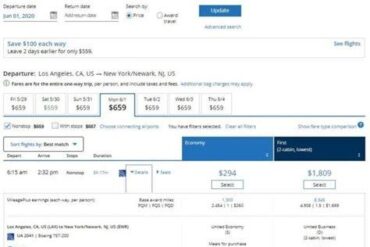
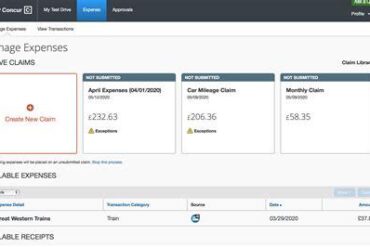
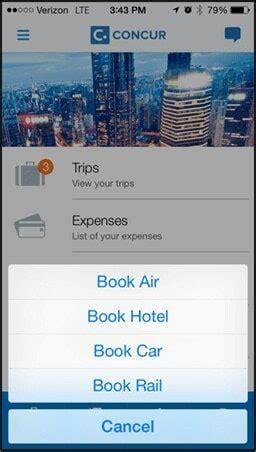
SAP Concur is an enterprise-grade platform that integrates corporate travel booking, expense tracking, and policy compliance into a single interface. Most companies connect Concur with a designated travel agency—like Amex GBT—that handles ticketing and monitors adherence to corporate travel policies. Though it acts like a third-party booking engine, Concur’s infrastructure ensures that the data flows back to airlines like United.
Crucially, travelers must link their frequent flyer accounts—such as MileagePlus—to their Concur profiles. Doing so ensures that:
- All flights booked through Concur automatically accrue miles
- Reservations sync directly to the United app and website
- Upgrade eligibility becomes visible and actionable post-ticketing
This integration allows employees to maintain near-identical control as if they had booked directly through the airline.
Booking with Concur Doesn’t Mean Losing Control
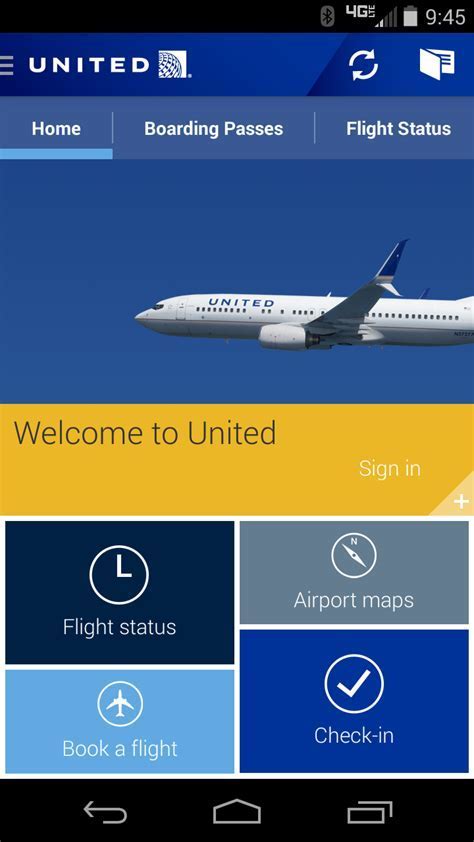
A common misconception among travelers is that booking through Concur means losing the ability to manage their reservation. In practice, most users report seamless post-booking control. Once the flight is ticketed—usually within minutes to a few hours—the reservation populates within the United app, assuming the traveler’s MileagePlus number is included.
This allows travelers to:
- Request upgrades using cash, miles, or PlusPoints
- Choose or change seats directly through United
- Receive flight status updates and boarding information
Upgrades Are Still Possible After Booking with Concur
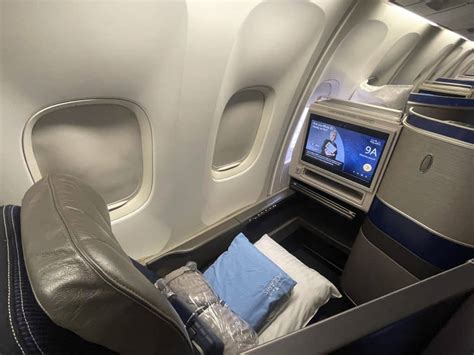
Perhaps the most critical issue for frequent flyers is upgrade eligibility. Whether you’re aiming for a transatlantic Polaris seat using PlusPoints, or simply seeking extra legroom via miles or cash, many fear that a Concur booking will strip them of these privileges. Fortunately, this is rarely the case.
Travelers across various United elite tiers—MileagePlus Silver, Gold, Platinum, and 1K—confirm that upgrades remain available, provided you wait until the flight is officially ticketed.
As one MileagePlus 1K member notes:
“Just wait until it gets ticketed with United, and then you can do that with United through the app or website.”
This suggests that United’s internal systems recognize third-party bookings once finalized and link them seamlessly to your account.
Important Considerations:
- If you attempt to change or cancel a flight after an upgrade has cleared, you’ll need to call United to recover your PlusPoints or miles.
- Seat selection through Concur may not always carry over. Several users recommend selecting seats directly on United’s website after booking.
Workarounds and Flexibility for Savvy Travelers
Some frequent travelers adopt a hybrid approach. They identify the approved itinerary via Concur, then book directly with United using the same flight details. By doing so, they maintain full control and still comply with corporate policy as long as the booking syncs back to Concur for expense tracking.
“I’ll find an approved flight in Concur, then book that same flight directly on United. The reservation syncs to Concur.”
This method, while not officially endorsed by all companies, allows experienced travelers to retain their upgrade privileges and loyalty benefits while staying within corporate guidelines.
Earning Miles and Loyalty Status Still Works
Concur bookings do not prevent mileage accrual. In fact, many users report accruing both miles and elite qualifying segments without any issues, especially when their corporate travel agency books higher fare classes. This can even make upgrades more likely:
“Usually your company books at a higher fare class and that helps with your upgrades.”
Additionally, by inserting your MileagePlus number into your Concur profile, you’re also able to see promotional options like “Break from Business” fares in the United app—special offers for personal travel available only to business travelers.
Error Messages: Don’t Panic
Some users encounter brief error messages indicating that the ticket isn’t eligible for an upgrade. This is often temporary. One traveler reports that the message disappears within 10–15 minutes after ticketing, at which point upgrades can be processed normally.
Others caution that if you do attempt to modify your reservation from within the United system, you might receive a warning suggesting changes be handled by your booking agent (i.e., Amex or your travel manager). However, in most cases, this doesn’t prevent you from proceeding.
“It won’t stop you. I’ve done it multiple times.”
Personal Expenses and Card Use with Upgrades
When upgrading via miles or cash, travelers may need to use personal credit cards if the corporate policy doesn’t support upgrade reimbursements. However, this doesn’t typically block the process from a technical standpoint.
For instance, if you’re eyeing an upgrade to Polaris on a transatlantic route and your company only covers the base fare, you can still:
- Use your own PlusPoints or miles to request the upgrade
- Pay the upgrade fee using your personal credit card through the United app
This flexibility ensures that frequent flyers can still enjoy premium experiences even within the bounds of corporate systems.
Recommendations for a Smooth Experience
To minimize friction when booking with Concur and flying with United, we recommend:
- Linking your MileagePlus account to your Concur profile
- Waiting for ticketing to complete before attempting upgrades or seat changes
- Selecting or changing seats directly on United’s website or app
- Monitoring the app for the appearance of your reservation within 1–2 hours post-booking
- Being prepared to call United if you need to recover upgrade points or miles after changes
Conclusion: Concur Isn’t a Barrier—It’s a Different Path
Though many travelers dread the loss of flexibility when forced to book via Concur, the truth is that most frequent flyer perks remain accessible. With a bit of knowledge, a synced MileagePlus account, and patience during the post-ticketing period, travelers can still earn miles, request upgrades, and enjoy premium travel benefits—even on corporate itineraries.
Ultimately, mastering Concur is not about learning a new system, but understanding how it interacts with familiar platforms like United’s. Those who adapt quickly can still fly in style, earn status, and optimize both their business and leisure journeys.