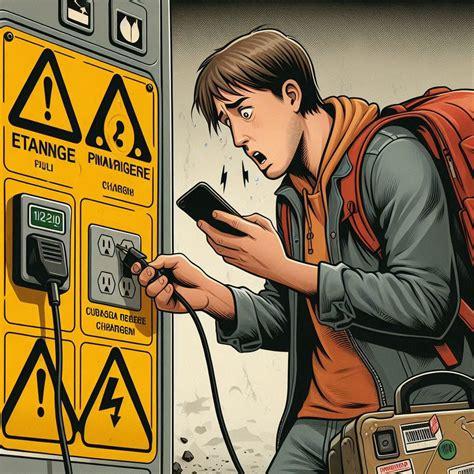
In today’s fast-paced world, where smartphones have become an extension of ourselves, the dilemma of a dying phone battery often leads travelers to seek out public USB charging stations. Airports, cafes, and hotels offer these convenient ports, but lurking behind this facade of convenience is a subtle cyber threat known as juice jacking. This phenomenon poses significant risks to personal data and device security, and it’s crucial for every traveler to understand how it works and how to stay safe.
Juice jacking occurs when hackers compromise public USB charging stations or cables, enabling them to secretly access devices plugged in for power. Unlike traditional power outlets that only transmit electricity, USB ports can carry both power and data. Therefore, plugging your device into a modified port can create a two-way data connection that hackers exploit to steal personal information or install malware on your device.
Imagine you’ve just landed after a long flight, and your phone’s battery is hanging on by a thread. You spot a free USB charging station near your gate, plug in, and breathe a sigh of relief. But what if that innocent-looking charging port was actually a trap? This scenario is becoming all too common, as criminals devise increasingly sophisticated methods to compromise these public charging stations. The FBI, TSA, and FCC have all issued warnings about the dangers of plugging devices into public USB ports, emphasizing that even though documented cases remain rare, the potential consequences of a breach are severe enough to warrant caution.
How Juice Jacking Works
Juice jacking may sound like a complex cybercrime, but the mechanics are alarmingly simple. Hackers can modify a USB charging port with small hidden devices that mimic a legitimate USB data connection. When you plug in your device, it might trust this connection, allowing data transfer without your knowledge. Furthermore, malicious cables, such as O.MG cables, look entirely normal but contain microchips capable of injecting commands into your connected device. These cables can record keystrokes, redirect browsers, or download malware—all while appearing to be an ordinary charging cord.
While advanced hacking techniques can exploit vulnerabilities in device firmware, such occurrences are less common. Nevertheless, the potential for abuse is significant, especially in high-traffic areas where travelers are more likely to plug in without a second thought.
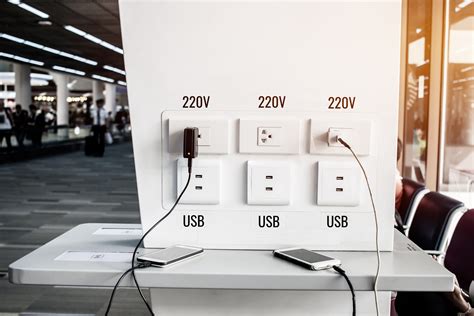
Who Is Most at Risk?
Travelers are particularly vulnerable to juice jacking for several reasons. The urgency of a low battery often outweighs caution, especially in busy locations like airports and train stations where power outlets are scarce. Business travelers are especially attractive targets for cybercriminals, as they often carry sensitive data, work documents, and login credentials that could provide a gateway into corporate networks. However, vacationers are not immune either. Consider the wealth of personal information stored on a typical smartphone—photos, personal messages, and financial apps. A compromised device can lead to severe privacy violations and financial repercussions.
Recognizing the Signs of Juice Jacking
One of the most unsettling aspects of juice jacking is its stealthy nature. Victims may not notice anything unusual while their device charges, making it challenging to identify a breach immediately. Nonetheless, there are subtle signs to watch out for:
- Sudden battery drain or overheating: If your device begins to overheat or loses battery life rapidly after using a public charging port, it could be a sign of unauthorized access.
- Sluggish performance: Frequent app crashes or slow response times may indicate malware is affecting your device.
- Unfamiliar apps: If you notice strange new applications appearing on your home screen, it’s worth investigating further.
- Suspicious data usage spikes: An unexplained increase in data usage can suggest that malicious software is transmitting your information without your consent.
If you suspect you’ve been a victim of juice jacking, it’s essential to act quickly. Back up your data, run a security scan, and consider performing a factory reset to eliminate any potential malware.
What Are Device Manufacturers Doing?
Fortunately, technology companies are aware of the threat posed by juice jacking and have implemented several safeguards. For instance, iOS devices have required user approval for data connections since 2013. If you plug your iPhone into an unfamiliar USB port, it will prompt you to confirm whether you want to trust that device before allowing any data transfer. Similarly, Android devices have included “charge-only” modes since version 4.2.2, which block data transfers unless explicitly permitted by the user. These measures significantly reduce the risk of unauthorized data access; however, researchers have demonstrated that some advanced attacks, such as keyboard emulation through malicious cables, can bypass these defenses.
Essential Safety Tips for Travelers
Given the rising threat of juice jacking, travelers must adopt a cautious approach when it comes to charging their devices in public spaces. Here are some essential tips to stay safe:
- Use your own charger and wall plug: A traditional power outlet is the safest option since it doesn’t transmit data, reducing the risk of a cyber attack.
- Carry a power bank: Portable batteries allow you to charge your device safely anywhere without relying on public USB ports.
- Invest in a USB data blocker: These small devices fit between your cable and the public port, blocking data pins while still allowing power to flow.
- Purchase “charge-only” cables: These cables lack data wires altogether, preventing any potential data exchange.
- Keep your device locked while charging: Avoid unlocking your device when it’s plugged into public ports, as this can reduce the risk of unauthorized access.
- Turn off your device before charging: A powered-down device cannot transmit data, providing an additional layer of security.
- Stay vigilant: Be cautious if a public charging station has unfamiliar branding, visible damage, or seems out of place.
Are the Warnings Overblown?
It’s natural to question whether juice jacking is more hype than actual hazard. While the FBI, TSA, and FCC have raised alarms about the threat, documented cases of widespread attacks affecting everyday consumers are limited. Security experts argue that modern smartphones make juice jacking increasingly difficult unless users actively allow a data connection. However, for high-value targets—such as business travelers with sensitive information—or in scenarios where hackers have time to set up a sophisticated trap, the risk cannot be entirely disregarded. Given how simple preventative measures are, many experts advocate for caution, even if the odds of being targeted remain low.
Conclusion: Prioritize Your Digital Security
As you navigate bustling airports and crowded train stations, remember that the quest for convenience can come at a cost. Juice jacking may not be prevalent, but it represents a risk that travelers should take seriously. The solution can be as straightforward as carrying your charger or opting for a wall outlet instead of a USB port. Travel should be about exploration and adventure, but in our digital age, it also requires vigilance. A few extra ounces in your bag—a wall charger, a power bank, or a data blocker—might be all it takes to keep your personal information secure. After all, your vacation photos, financial apps, and private conversations deserve to remain just that—private.