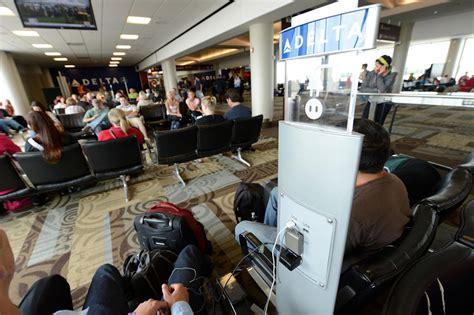
In recent years, airport terminals have become some of the busiest hubs for internet usage, especially during the holiday season. With long waits, delayed flights, and the rush of travelers, it’s not surprising that passengers often seek a convenient way to pass the time. For many, this means connecting to the free Wi-Fi provided at airports. However, the TSA has issued a serious warning regarding the risks of using free airport Wi-Fi, urging travelers to exercise extreme caution when accessing these networks. As many passengers turn to this convenient, no-cost option, they may be unknowingly putting their personal information at risk.
The Growing Risk of Public Wi-Fi
The issue with free airport Wi-Fi, like other public networks, is that it is often unencrypted and easily exploitable by hackers. When connecting to an unencrypted network, such as those found in most public places, data sent from your device can be intercepted without much effort by malicious actors. This means that any sensitive information—whether it’s personal identification details, passwords, or even credit card numbers—could be exposed to hackers lurking on the same network. This is a significant concern for travelers, especially those who use their devices for work or personal matters, making sensitive transactions or checking personal accounts while in transit.
While it might seem harmless to check flight status or scroll through social media, accessing websites that require logins or conducting transactions over an unprotected connection can open the door for data theft, financial fraud, or identity theft. This is why the TSA is urging travelers not to input sensitive information, such as login credentials or financial details, when connected to airport Wi-Fi.
The Menace of “Evil Twin” Attacks
The real danger arises from ‘evil twin’ networks, a type of cyberattack where hackers create a fake Wi-Fi hotspot that appears to be the legitimate airport network. These malicious networks are designed to look almost identical to the official airport Wi-Fi, using slight variations in naming conventions—such as AirPort-WiFi versus Airportwifi—to deceive users into connecting to the wrong network. Once connected to this fake network, users are vulnerable to a host of attacks, including data theft and malware injection.
Unfortunately, these attacks are relatively easy to carry out. Hackers can set up an evil twin network using common devices like smartphones, tablets, or laptops. For maximum effectiveness, hackers might use more specialized tools like a Wi-Fi Pineapple, a device that can mimic legitimate networks and even intercept traffic. Once a user connects to the fake network, they are directed to a login page that might look identical to legitimate portals for things like online banking, social media, or email accounts. If the user enters their credentials into these sites, the attacker gains immediate access to their information.
In addition to stealing passwords and login credentials, evil twin attacks can also pave the way for more severe security threats. These might include the installation of malware, distributed denial of service (DDoS) attacks, and even broader breaches of data security. If sensitive services, like cloud storage or financial websites, are accessed over a fake network, the damage can be extensive.
Precautionary Measures to Protect Yourself
So how can you protect yourself from these dangers? The TSA’s advice is straightforward: avoid accessing sensitive accounts or making financial transactions over public Wi-Fi. If you must use public Wi-Fi, consider taking these precautions to enhance your security:
- Use HTTPS-only mode in your browser: Browsers like Google Chrome and Firefox offer an HTTPS-only mode that forces websites to load with encryption, making it more difficult for hackers to intercept your data.
- Connect to a VPN: A virtual private network (VPN) is one of the most effective ways to protect your privacy while using public Wi-Fi. A VPN encrypts your internet traffic, ensuring that even if a hacker intercepts your data, they cannot read it.
- Disable Bluetooth and file sharing: Turning off Bluetooth and file-sharing settings while on public Wi-Fi can reduce the risk of hackers gaining unauthorized access to your device.
- Use multi-factor authentication (MFA): Enabling MFA for accounts that offer it, such as email or banking services, adds an extra layer of protection in case your login credentials are compromised.
- Verify the network before connecting: Before you connect to an airport Wi-Fi network, it’s essential to confirm that the network is legitimate. If there is no login portal or Terms and Conditions page after you connect, it could be a fake network set up to steal your data. Always double-check with airport staff to ensure the Wi-Fi network you’re using is secure.
- Avoid sensitive websites on public Wi-Fi: The safest bet when using free Wi-Fi in airports is to limit your activities to basic tasks like checking flight updates, browsing social media, or streaming content. Refrain from logging into accounts that store sensitive personal information or involve financial transactions.
Conclusion: Prioritize Your Online Security
While it’s tempting to rely on the convenience of free Wi-Fi in airports, travelers must remain cautious about the potential risks associated with these networks. By taking proactive steps to safeguard your information, such as using VPNs, enabling encryption, and verifying the legitimacy of networks, you can significantly reduce the chances of falling victim to cyberattacks.
As the TSA has warned, public Wi-Fi is a prime target for hackers, especially during the busy travel seasons when many passengers connect to these networks without a second thought. By staying vigilant and following security best practices, you can ensure that your travel experience remains secure and free from digital threats.