Runway slope information plays a vital role in safe flight operations, particularly during approach, landing, and takeoff. It affects aircraft performance, influences landing rollout distance, and changes visual approach angles. As aviation technology becomes more sophisticated and digital interfaces become standard in flight decks and simulators alike, pilots and flight enthusiasts must understand not only what runway slope is, but also where and how to find it accurately.
Understanding Runway Slope and Its Impact
Runway slope, sometimes referred to as gradient, is the inclination of a runway’s surface along its length. It is expressed as a percentage or ratio, describing how much the runway rises or falls per 100 feet or meters. A positive slope means the runway rises uphill from the landing threshold, while a negative slope implies it descends downhill.
In practical terms, runway slope impacts:
- Landing distance: Uphill slopes shorten rollout distance; downhill slopes extend it.
- Takeoff performance: Aircraft require more thrust and longer ground run on uphill slopes.
- Glideslope interpretation: A sloped runway alters a pilot’s visual angle of descent, particularly during non-precision or visual approaches.
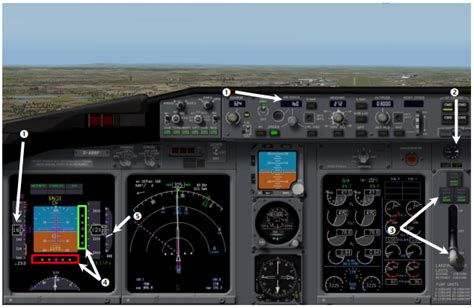
Even small gradients can significantly affect aircraft behavior, especially on short runways, or during wet or contaminated conditions. For this reason, pilots must factor runway slope into performance calculations and approach planning.
Where to Find Runway Slope Information
Runway slope data is available from multiple official aviation resources. Pilots should know where to look depending on whether they are flying in the real world, using flight simulation software, or operating within a digital cockpit environment.
1. Aeronautical Information Publications (AIPs)
Each country’s civil aviation authority publishes AIPs, which include detailed data about airports, including runway characteristics such as:
- Runway length and width
- Surface type
- Slope (in percent)
AIP runway slope data is typically found in the AD 2.12 section, which provides details for individual runways.
2. FAA Chart Supplement (United States)
In the U.S., the FAA Chart Supplement (formerly Airport/Facility Directory) includes runway slope data in each airport entry. This information is often listed as:
RWY 28 SFC CONC, 7000 x 150 FT, SLOPE 0.5% UP
This means Runway 28 is 7000 feet long, 150 feet wide, concrete surface, and slopes 0.5% uphill.
This data is essential for both VFR and IFR pilots, especially when operating out of airports with high elevation or non-standard terrain profiles.
3. Jeppesen Charts and Airport Briefings
Commercial pilots and advanced simmers often rely on Jeppesen charts, which provide rich briefing data, including runway slope. On Jeppesen airport pages, slope is usually noted under Runway Data, formatted similarly:
RWY 16: 9000 x 150 FT, ASPH, 0.3% DN
Jeppesen also highlights significant slope variations across a runway, such as rolling or uneven surfaces, which can affect both takeoff roll and touchdown point predictions.
4. Digital Flight Planning Tools and EFBs
Electronic Flight Bags (EFBs) like ForeFlight, Garmin Pilot, and SkyDemon aggregate airport data from official sources and display runway slope clearly within each airport information card. This makes slope data available at a glance for pre-flight and in-flight planning.
ForeFlight, for example, includes slope in its runway analysis module, allowing pilots to assess takeoff and landing performance adjusted for slope, wind, temperature, and aircraft weight.
5. Flight Simulators and HUD Overlays
In flight simulation environments such as Infinite Flight, X-Plane, or Microsoft Flight Simulator, runway slope is either built into the terrain model or provided through HUD guidance systems.
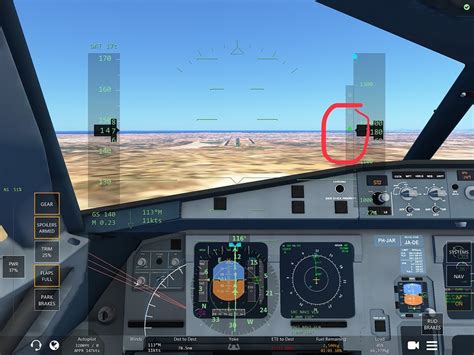
Glideslope Diamond in Infinite Flight
A green dot or diamond on the Heads-Up Display (HUD) shows your aircraft’s position relative to the glideslope.
- If the diamond is above your altitude arrow, you’re too low.
- If it’s below, you’re too high.
- When the diamond aligns exactly with your arrow, you are perfectly on the glideslope.
This feature helps virtual pilots simulate the real-world feel of flying a standard 3° ILS glidepath. However, this only works correctly if the runway elevation and slope are modeled accurately in the sim.
6. Airport Diagrams and Charts
Most airport diagrams, including FAA and Jeppesen formats, provide slope information on the side of the diagram, near runway specifications. These often use arrows and percentages to indicate which direction the slope goes.
This is particularly critical when dealing with runways that slope differently in each direction. For example, RWY 09 may slope 0.4% up, while RWY 27 slopes 0.4% down—both on the same physical runway, depending on approach direction.
Understanding the Relationship Between Glideslope and Runway Slope
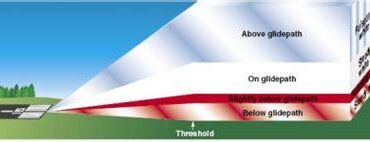
The glideslope is the vertical descent path an aircraft follows when on an Instrument Landing System (ILS) approach. Typically, the slope is set at 3 degrees, which correlates to a descent rate of about 700–800 feet per minute at a normal approach speed of 130–140 knots.
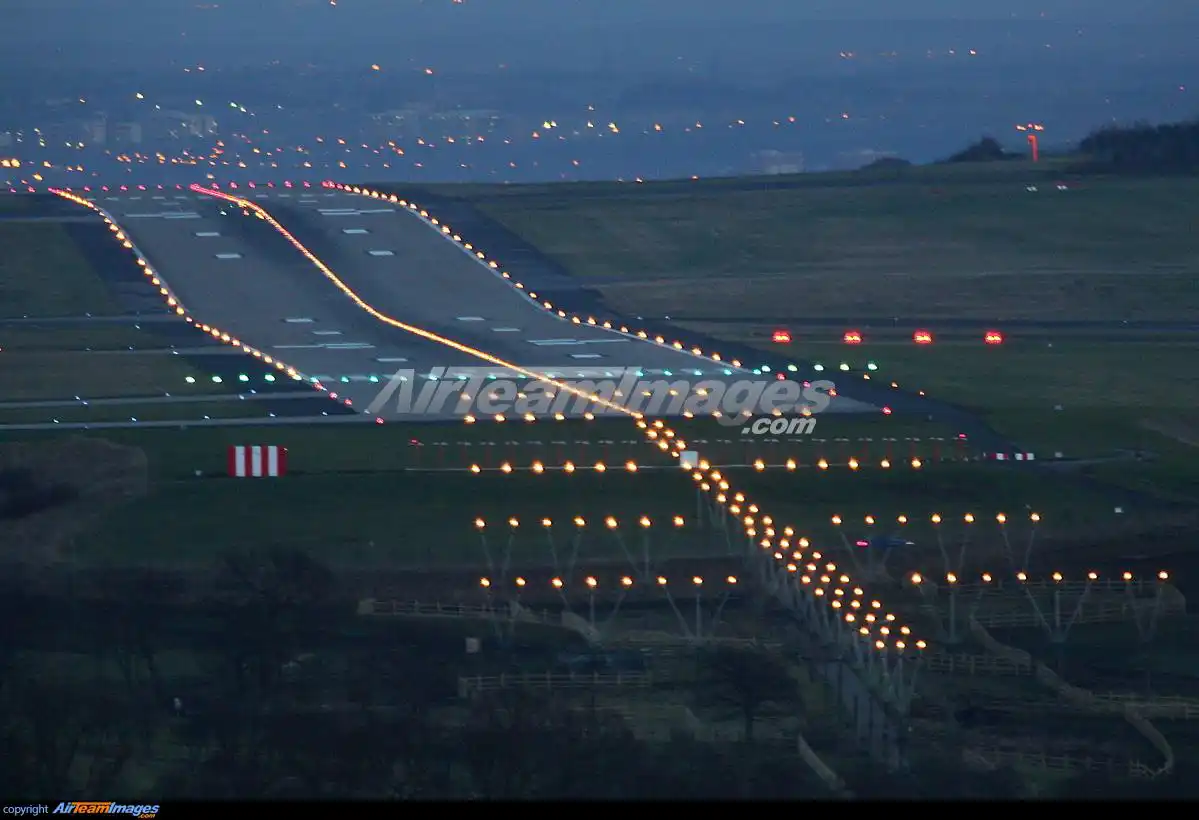
If a runway has an uphill slope, it visually appears closer or higher than it actually is. This illusion may cause a pilot to fly a shallower approach than intended, risking a long landing. Conversely, downhill runways may look further away, leading to steeper approaches. Understanding this visual cue manipulation is essential, especially in non-precision approaches.
How to Adjust Approach Planning for Runway Slope
1. Approach from Below the Glideslope
Always intercept the glideslope from below. This allows a stable descent and prevents the aircraft from diving to catch the slope. Level off until the glideslope needle or diamond meets your altitude—then follow it down.
2. Use the 3000-ft Rule for Interception Altitude
As a general rule, calculate your glideslope interception altitude by taking the airport elevation and adding 3000 feet. This is where you should begin looking to intercept the slope approximately 10–12 nautical miles out.
- Example: If airport elevation is 1200 ft, intercept around 4200 ft MSL.
At 5 NM out, you should typically be around 1500 ft AGL to align with a 3° slope.
3. Monitor Descent Rate
Use a vertical speed (V/S) of -700 to -900 ft/min during approach depending on aircraft weight and speed. Sudden slope changes in the runway can require last-minute pitch adjustments, especially during visual landings at unfamiliar airports.
Conclusion: Accurate Slope Awareness Enhances Safety and Performance
Finding and understanding runway slope is more than a regulatory checklist item—it is a performance-critical variable that shapes nearly every phase of approach and landing. From chart supplements to HUD overlays, the tools to access this information are widespread and accessible.
Yet, it remains the pilot’s duty to interpret and apply this data meaningfully. Whether in a commercial jetliner, a training aircraft, or a simulated cockpit, runway slope knowledge improves both situational awareness and landing precision.
Flight safety, efficiency, and confidence all benefit when pilots understand not just where the runway lies—but how it leans.