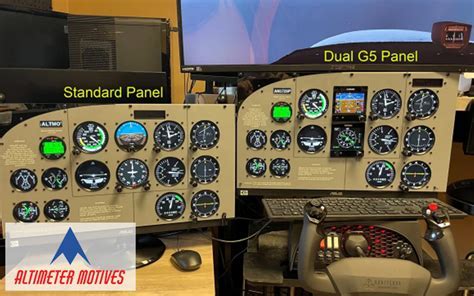
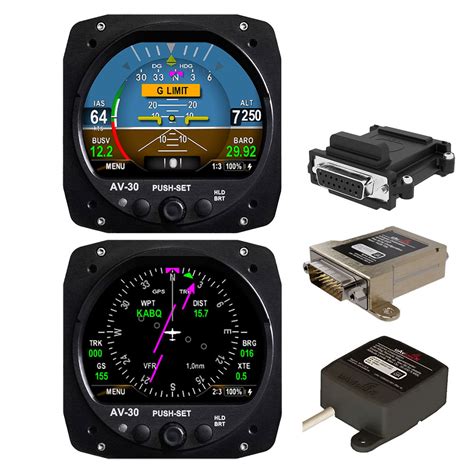
In recent years, digital flight instruments like the uAvionix AV-30 have rapidly grown in popularity as affordable alternatives to traditional analog gauges. For pilots transitioning away from vacuum systems, the AV-30 provides a compact, glass-display solution with primary attitude and directional gyroscopic information. However, when integrated into legacy aircraft, strange behavior sometimes emerges—particularly in how altimeter readings align, or don’t, with mechanical units still onboard. This article investigates a real-world case of such altimeter weirdness, explores its technical underpinnings, and outlines steps pilots and avionics professionals can take to ensure reliable, safe altitude indications.
The Problem: Altimeter Mismatch After AV-30 Upgrade
A pilot recently reported on the r/flying forum that, after upgrading their aircraft to include an AV-30 and removing the vacuum system, they noticed the original analog altimeter consistently read about 120 feet lower than the AV-30. Both instruments were set to the same barometric pressure. This difference persisted throughout the entire cross-country flight. Interestingly, when ATC requested a confirmation of altitude, it matched what the AV-30 was displaying, not the mechanical altimeter.
This issue might appear trivial at first—after all, the aircraft remained VFR, and ATC didn’t raise any alarms. But this divergence between altimeters is more than a curiosity. For IFR-certified aircraft or pilots flying in marginal conditions, such inaccuracies could become operationally and legally significant.
Why Don’t the Altimeters Match?
Altimeter disagreement isn’t new. What’s changed is the introduction of modern digital avionics into aircraft systems originally designed for analog components. In this specific case, several causes could explain the mismatch:
1. One Altimeter is Out of Specification
According to A&P/IA-certified users on the forum, the most straightforward explanation is that either the AV-30 or the original altimeter is no longer accurate. Mechanical altimeters can drift over time and require recalibration or even repair. The discrepancy of 100+ feet is outside acceptable variance limits and is enough to suspect faulty calibration.
The simplest field test involves setting both instruments to the reported field elevation and then adjusting their barometric setting (Kollsman window) to match the ATIS or AWOS value. Whichever altimeter reads closest to known elevation is likely the accurate one.
2. Static System Calibration Was Skipped or Done Poorly
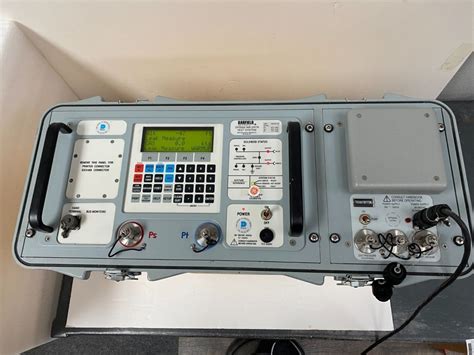
Digital instruments like the AV-30 rely on the same pitot-static system that feeds legacy analog instruments. If that system wasn’t properly tested and calibrated after installation, any altimeter connected to it could provide inaccurate data. Pilots often assume new gear is plug-and-play—but it’s not.
In the case reported, it appears likely that the AV-30 was installed by an A&P who either didn’t have the static test equipment or didn’t perform a formal test, which is required for accurate altimeter integration, especially on IFR aircraft. While legal under certain conditions for VFR-only aircraft, skipping this test is not recommended.
What Is the Kollsman Window and Why It Matters
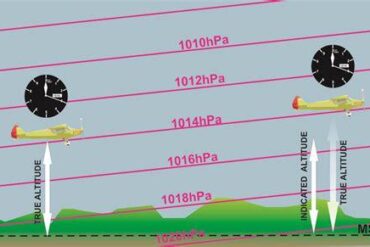
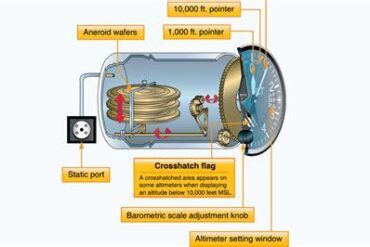
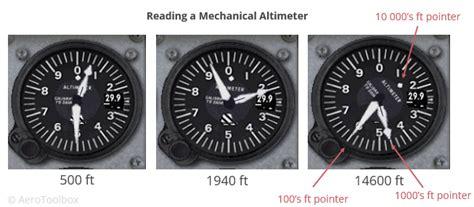
The Kollsman window is a critical component of any analog altimeter. It allows pilots to set the current barometric pressure, enabling the instrument to calculate altitude correctly. If the mechanical internals drift over time—or if the dial’s calibration is off—then even a correct baro setting won’t produce the right altitude.
Adjusting a Kollsman window isn’t something an average A&P should attempt unless properly trained and equipped. It requires precision tools and is generally performed during a pitot-static test or IFR certification inspection. Once adjusted, the system must be retested to ensure compliance, particularly if the aircraft flies under IFR.
AV-30 Installation Quirks and Pilot Misconceptions
A particularly revealing insight from the Reddit discussion is the frequency of calibration issues in AV-30 installations. Because the AV-30 is relatively inexpensive, many owners choose to save on labor by having a general A&P install the unit. However, installation is only part of the job. Without proper testing of the pitot-static system and digital configuration of the AV-30’s internal settings, inaccuracies are likely.
One user pointed out that many installers don’t even access the AV-30’s configuration menus, either due to lack of training or not realizing that trim adjustments are necessary. The unit has a software-based altitude trim setting, which allows fine-tuning its altitude display to match the aircraft’s certified altimeter. Skipping this step could lead to persistent mismatches.
Does GPS Altitude Help as a Reference?
Some pilots suggest referencing GPS altitude (e.g., from a ForeFlight display on an iPad) to cross-check anomalies. While GPS provides altitude information, it references the WGS-84 geoid, not mean sea level (MSL). This often leads to discrepancies of 100 to 200 feet compared to barometric readings.
Therefore, GPS altitude can serve as a general sanity check—if one altimeter is wildly different from both the GPS and the other altimeter, it’s likely wrong. But it’s not a substitute for a properly calibrated barometric altimeter, especially in regulated airspace.
IFR Implications: It’s Not Just a Visual Concern
In VFR operations, minor altimeter mismatches may be tolerated or go unnoticed. But for IFR-certified aircraft, even small discrepancies matter. Altimeter errors can affect:
- Separation from other aircraft in controlled airspace
- Compliance with minimum enroute altitudes (MEA)
- Altitude reporting to ATC via Mode C or ADS-B
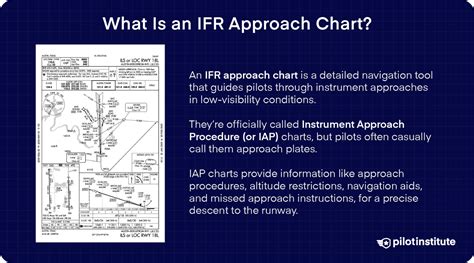
Any mismatch of 120 feet could result in ATC seeing your transponder-reported altitude as wrong, even if it matches your panel indication. This is especially concerning when descending on approaches or adhering to mandatory altitude crossings.
How to Troubleshoot and Resolve the Issue
If you’re experiencing a similar mismatch between your AV-30 and traditional altimeter, here’s a summary of steps you should take:
- Compare Both Altimeters at Field Elevation: Set both to airport elevation using current baro settings. If one deviates significantly, it’s likely out of spec.
- Review Installation Logs: Look for documentation of a static system test. If not present, that’s a red flag.
- Visit an Avionics Shop: They have the pilot/static test equipment necessary to evaluate and correct errors.
- Access AV-30 Configuration Menus: Trim the altitude output if needed to match certified readings.
- Test After Calibration: Always perform a full pitot-static system test after any adjustments, especially if flying IFR.
Bottom Line: Digital Doesn’t Mean Set-and-Forget
The allure of modern avionics is real—lightweight, affordable, and highly functional. But the AV-30 is not immune to old-world physics. It still depends on accurate pressure input and must be properly calibrated both digitally and mechanically.
The altimeter weirdness highlighted in this report isn’t a failure of technology—it’s a failure of integration discipline. Ensuring all systems communicate properly, pass static checks, and align with certified references is essential to safe flight, no matter how high-tech your panel looks.
Modern avionics require more than just bolt-on installation. They demand system-level thinking, precise calibration, and, above all, awareness that even a sleek display is only as accurate as the data behind it.