The F-16 Fighting Falcon is one of the most iconic fighter jets in modern aviation history, and its flight simulator cockpit offers an unparalleled experience for both military training and flight enthusiasts. With advancements in technology, high-end simulators now provide 1:1 scale cockpits, realistic flight dynamics, and fully functional avionics systems. In this guide, we explore the features, applications, and recommended hardware and software for an F-16 flight simulator cockpit.
Authenticity of the F-16 Simulator Cockpit
Full-Scale Replication & Detailed Design
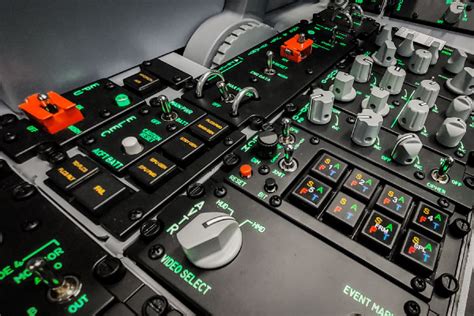
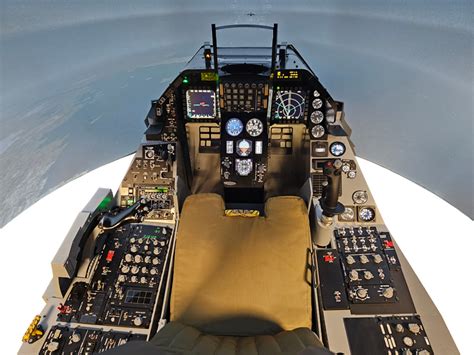
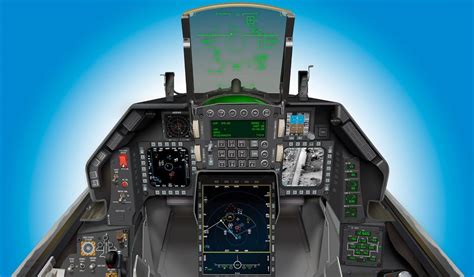
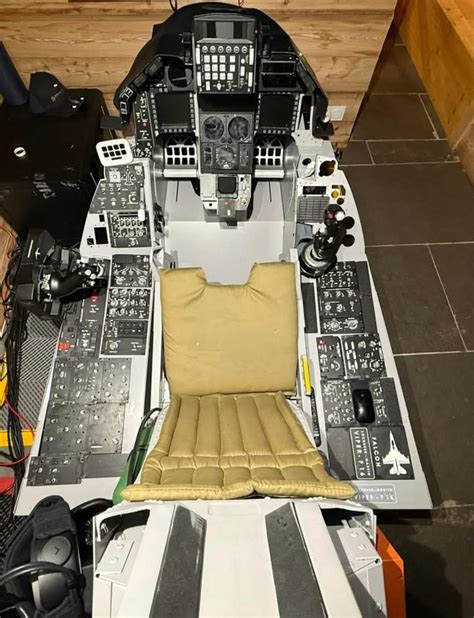
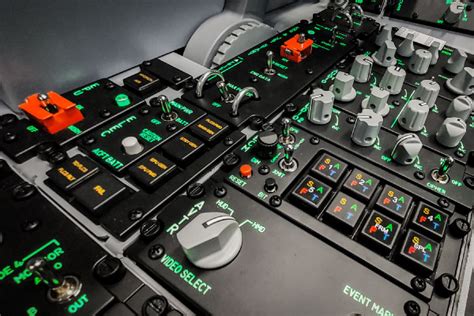
Modern F-16 simulators, such as the HURMOTION F16-2M20, replicate the actual F-16 cockpit layout, maintaining a 1:1 scale to ensure complete realism. Every button, switch, and display is positioned according to real-life specifications. The simulator even reflects cockpit variations across different F-16 blocks, including Block 25, Block 30, and Block 40 models.
Key cockpit components include:
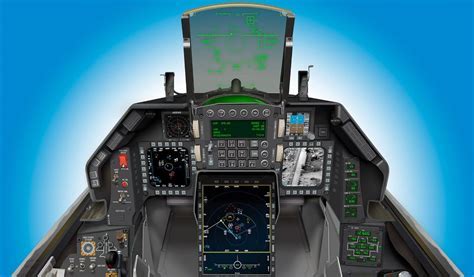
- Multifunction Displays (MFDs): Provide critical flight data and targeting information.
- Heads-Up Display (HUD): Wide-angle diffraction projection for real-time flight parameters.
- Throttle and Stick Controls (HOTAS): Authentic Hands-On Throttle and Stick configuration for seamless in-flight operation.
Advanced Motion & Avionics Simulation
High-end F-16 flight simulators incorporate advanced motion platforms capable of 360° rotation and tilt-axis movement to replicate real flight dynamics. The simulator also features a highly responsive avionics system, simulating real-world startup sequences, including:
- Electrics Activation: Powering up the aircraft systems.
- Fuel Management: Using the Master Fuel switch to initiate fuel flow.
- INS Alignment: Simulating inertial navigation startup for accurate flight path guidance.
Core Functions & Operations of the Simulator
Primary Interface & Instrumentation
The simulator’s primary interface displays a virtual flight environment with various perspective options, including:
- Cockpit View: A first-person perspective from within the F-16 cockpit.
- External View: A third-person view to observe aircraft maneuvers.
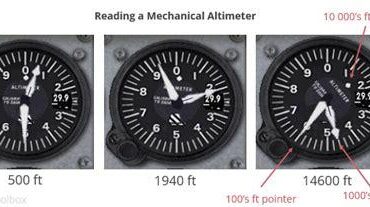
- Multi-Instrument HUD: Integrated airspeed indicators, altimeters, and attitude displays.
Navigation is enhanced through:
- Hotkey shortcuts: Example: Pressing ‘M’ brings up a navigation map.
- On-screen LCD displays: Real-time monitoring of flight speed, heading, and enemy aircraft movements.
Flight Simulation Procedures
Takeoff Sequence
- Throttle to 100% power for full acceleration.
- Reaching 160 knots (approx. 185 mph), gently pull back on the stick.
- Achieve a 10-20° nose-up attitude for a smooth lift-off.
Cruising Flight
- Optimal altitude: Between 20,000 and 30,000 feet.
- Recommended speed: Around 400 knots.
- Autopilot mode available: Pressing ‘A’ for automated flight stabilization.
- Leveling mode: Pressing ‘L’ for horizontal flight alignment.
Landing Approach
- Reduce airspeed to 250 knots before descent.
- Deploy landing gear at appropriate approach altitude.
- Maintain 35% throttle power and adjust aircraft attitude to align with the runway.
- At touchdown, pitch the nose up 10° for a smooth landing.
Applications of the F-16 Flight Simulator
Military Training
The F-16 simulator is extensively used in pilot training programs for practicing emergency scenarios, such as:
- Stall recovery procedures.
- Radar jamming countermeasures.
- Combat tactics, including missile engagement using AIM-120 AMRAAM missiles.
- Electronic warfare training through the Electronic Warfare Suite (EWS).
VR Entertainment & Aviation Education
For flight enthusiasts and hobbyists, advanced VR-compatible F-16 simulators provide an unmatched immersive experience. Users can explore:
- Formation flying with AI or multiplayer modes.
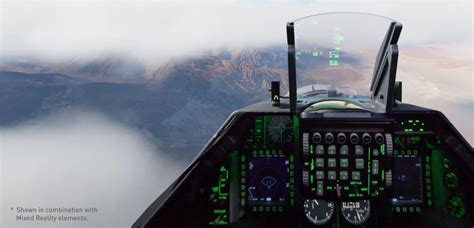
- Dynamic weather conditions, including fog, rain, and turbulence.
- Realistic physics and aerodynamics modeling, simulating real-world G-forces and drag effects.
Recommended Software & Hardware for F-16 Flight Simulation
Best Simulation Software
- Microsoft Flight Simulator (MSFS): Features third-party F-16 modules for civilian and combat flight.
- X-Plane: Provides high-precision flight physics and support for F-16 add-ons.
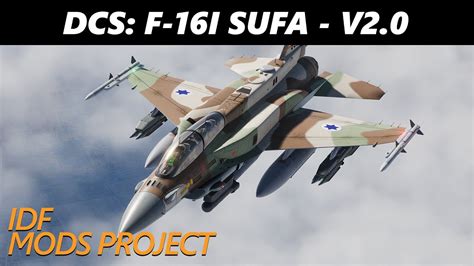
- DCS World (Digital Combat Simulator): The most detailed military flight simulation platform, offering full F-16C Viper modules.
Recommended Hardware Configuration
Minimum Requirements:
- Processor: Dual-core CPU
- RAM: 8GB
- Graphics Card: NVIDIA GTX 1060 or equivalent
Advanced Flight Controls & Peripherals:
- Thrustmaster Warthog HOTAS: High-fidelity throttle and stick system.
- Rudder Pedals: Improves yaw control and taxiing accuracy.
- VR Headsets (HP Reverb G2, Oculus Quest 2): Enhances immersion in cockpit environments.
FAQs About F-16 Flight Simulator Cockpits
1. How realistic are F-16 simulator cockpits?
Modern F-16 simulators offer a near-authentic replication of real cockpits, including accurate avionics, flight controls, and startup sequences. Some models even provide motion simulation to replicate in-flight forces.
2. What software is best for an F-16 flight simulator experience?
For casual users, Microsoft Flight Simulator and X-Plane offer realistic flight physics. For military-grade accuracy, DCS World is the top choice.
3. What hardware is needed for a high-quality F-16 flight simulator?
A powerful PC with a high-end GPU, a HOTAS (Hands-On Throttle and Stick) system, and VR support provide the most immersive experience. Full-motion simulators enhance realism further by replicating G-forces and cockpit movement.