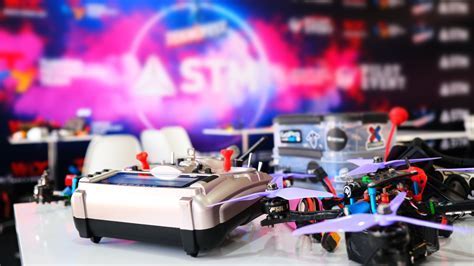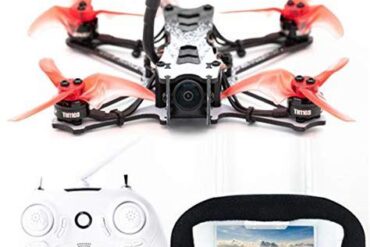
Flying FPV (First-Person View) drones is a thrilling pursuit that demands both precision and practice. For beginners and professionals alike, simulators offer a safe, cost-effective, and weatherproof solution to master drone controls, perfect freestyle tricks, and hone racing techniques. In this article, we explore the best FPV drone simulators currently available, comparing their features, flight physics, system requirements, and more to help you choose the right tool for your training.
What is an FPV Drone Simulator?
An FPV drone simulator is a software application that emulates real-world drone flying using realistic physics engines. These programs allow users to experience immersive drone flight using a controller and a computer or smartphone. Pilots can fly through forests, skateparks, abandoned buildings, and custom-built race tracks—all without risking damage to their expensive gear.
These simulators are invaluable for:
- Building muscle memory with a real radio controller
- Practicing freestyle stunts and tight racing maneuvers
- Gaining experience in LOS (Line of Sight) and FPV modes
- Tuning flight settings and rates
Top FPV Simulators for Computers: Feature-Packed and Flight-Ready
Liftoff
Liftoff is a benchmark in FPV simulators. With ultra-realistic flight physics, an integrated parts system, damage simulation, and a thriving community uploading custom tracks, Liftoff is both versatile and immersive.
- Platform: Windows, macOS, Linux
- Price: From $19.99
- Features: Community maps, prop damage, level editor, freestyle and racing
- Best for: Balanced training across all styles
VelociDrone
Focused on speed and competition, VelociDrone stands out with its low-latency performance and modular map editor. It includes the high-adrenaline Nemesis race mode and works well even on low-end machines.
- Platform: Windows, macOS, Linux
- Price: $19.99
- Features: Map editor, team play, racing leagues
- Best for: Drone racing and minimal hardware setups
TRYP FPV
TRYP FPV delivers cinematic visuals and animated environments with moving cars and birds, setting a high bar for graphical fidelity. However, it demands robust hardware and isn’t the most optimized for older systems.
- Platform: Steam
- Price: $14.99
- Features: Dynamic objects, cinematic maps
- Best for: Visual aesthetics and immersive flight

Uncrashed: FPV Drone Simulator
With its stunning natural environments and freestyle focus, Uncrashed offers a serene flight experience. Its physics are moderate compared to VelociDrone or Liftoff, but the beauty of the maps and Steam Workshop support make it worthwhile.
- Platform: Steam
- Price: $14.99
- Features: Immersive maps, customizable settings
- Best for: Freestyle exploration and cinematic training
DRL Simulator
As the official simulator of the Drone Racing League, DRL offers a professionally structured experience. With over 20 maps, ghost racing, and skill-based challenges, it’s ideal for competitive pilots.
- Platform: Windows, macOS
- Price: From $9.99
- Features: Skill progression, tournament access, ghost mode
- Best for: Structured learning and competition
FPV SkyDive
This is a free-to-play simulator perfect for beginners. While it offers simplified graphics and locked premium content, its accessibility makes it a great starting point.
- Platform: Windows, macOS, Linux
- Price: Free (in-app purchases)
- Features: Basic training, arcade mode
- Best for: Beginner pilots and budget users
FPV Freerider / Recharged
Freerider is a minimalist but effective tool for freestyle and basic racing. Its updated version, Recharged, brings better graphics and physics tuning.
- Platform: Windows, macOS, Linux
- Price: $4.99 / $9.99
- Best for: Offline solo practice
Tiny Whoop Simulators: Liftoff Micro Drones & Tiny Whoop GO
Tiny Whoop training needs fine control, and Liftoff Micro Drones delivers just that, with interactive indoor maps and detailed physics. Tiny Whoop GO, once free, now offers great practice for ~$15.
- Platform: Windows/macOS
- Best for: Indoor micro drone practice
FPV Simulators for Smartphones
For pilots on the move, mobile simulators provide convenience with some compromises in physics and latency.
Top mobile-friendly simulators include:
- FPV SkyDive (Android/iOS)
- FPV Freerider & Recharged
- FeelFPV
- DJI – Take Off
- VelociDrone Mobile (lightweight version of the PC sim)
Ensure you use an OTG-compatible radio transmitter for Android, or WiFi for iOS.
System Requirements and Optimization Tips
To ensure smooth flight simulation, aim for frame rates above your monitor’s refresh rate. A common high-end configuration includes:
- CPU: AMD Ryzen 7 5800X
- GPU: NVIDIA RTX 3070 Ti
- RAM: 32 GB
- Drive: Samsung 980 PRO NVMe SSD
For Mac users, the Apple M1 Pro handles most simulators well. VelociDrone is known for the lowest resource consumption.
Controller Compatibility and Radio Profiles
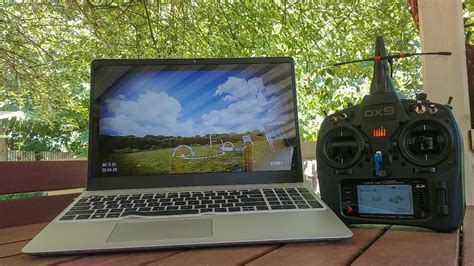
For realistic control, use a dedicated radio transmitter via USB. Disable RF to prevent battery drain. Popular models include:
- DJI RC2/RC3
- ExpressLRS USB
- Radiomaster TX16S
macOS users should employ a USB-A to USB-C adapter for seamless connection.
Training Recommendations for Consistency
Simulator success relies on deliberate practice, not just flying aimlessly. Start with:
- Arming/disarming muscle memory
- Hovering and basic altitude control
- Forward flight and slow yaw turns
- Landing precisely without throttle cuts
- Freestyle moves: powerloops, split-S, and Matty flips
- Tiny Whoop maneuvers for tight indoor gaps
Adjust PIDs and rates to suit your style, and reduce motion blur and shadows for performance. FPV goggles are optional—monitors offer better frame rates for training.
Use LOS practice modes to build orientation skills:
- Liftoff: Press “B”
- VelociDrone: Use mouse wheel
- FPV Freerider: Built-in LOS
Final Verdict: Choosing the Best FPV Simulator
Every simulator excels in its own way, and the best choice depends on your training goals and hardware capacity:
- Liftoff: Best all-around tool for balanced racing and freestyle
- VelociDrone: Top pick for racers and low-end systems
- Uncrashed: For cinematic lovers and immersive flights
- Liftoff: Micro Drones: Indoor-focused Tiny Whoop training
- FPV SkyDive: Budget-friendly and beginner-friendly
- VelociDrone Mobile: Best mobile simulator with racing pedigree
The key is consistency. Simulators won’t replace real flight, but they can drastically shorten your learning curve and build habits that translate directly to the skies.